Leave Your Message

How to Buy Juniper Networks SRX Series in 2026?

Buying a Juniper Networks Srx Series appliance in 2026 requires more than comparing list prices. The right choice depends on traffic patterns, security services, support needs, and the product’s current lifecycle status. Gartner forecast worldwide information-security spending would reach $212 billion in 2025, a 15.1% increase from 2024. That growth signals sustained investment, but it does not make every upgrade worthwhile. Check the exact model, software entitlement, and support availability before requesting a quote.

Look closely at real deployment details. A branch office handling encrypted traffic may need different capacity from a data center protecting multiple segments. Compare expected throughput with security features enabled, not just headline specifications. Confirm interface types, power requirements, licensing terms, and renewal costs in writing. IBM’s 2024 Cost of a Data Breach Report put the global average breach cost at $4.88 million. That figure is not a forecast for any single buyer; it is a reminder to weigh operational risk alongside purchase price. Small details matter.

This guide outlines how to assess authorized sellers, evaluate new and refurbished units, and verify configuration and support before buying. Request serial-number and warranty checks through appropriate vendor channels. Compare quotes on equal terms, including delivery, configuration, and ongoing support. And keep records. One caveat: published forecasts describe broad markets, not the value of a particular SRX model. Your traffic measurements and support requirements should decide the purchase.
How to Buy Juniper Networks SRX Series in 2026?

Define Security, User, and Throughput Requirements with RFC 2544 Metrics

Before selecting an edge-security appliance, document what it must protect and how people will use it. List enabled controls, such as intrusion prevention, application inspection, and encrypted tunnels. These features can reduce available throughput, so do not rely on a headline port-speed figure. Estimate peak concurrent users, sessions, and expected growth. Include busy periods, not just daily averages.

Small details matter.

Use RFC 2544-style testing to compare throughput, latency, frame loss, and back-to-back handling under controlled conditions. Test several frame sizes, including 64, 512, and 1518 bytes, with the intended security features enabled. Record the traffic mix and configuration so another engineer can repeat the test. A clean lab result is useful, but it is not a promise of production performance. Real traffic is messier. Validate with representative applications, VPN workloads, and logging enabled, then leave operating headroom for spikes and future policy changes. A neat spreadsheet can still mislead if its test profile differs from the network’s actual workload. Recheck assumptions before purchase.

Match SRX Models to IEEE 802.3 Port Speeds and Juniper Datasheet Results

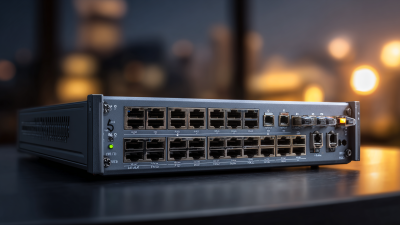
When matching security appliances to IEEE 802.3 port speeds, start with the exact model and hardware variant. A datasheet may list several interfaces, but not every port has the same rate. A compact branch unit might offer 1 GbE copper ports, while a larger appliance may include 10 GbE uplinks. Verify each port’s speed, connector, and media type.

That distinction matters. A 10 GbE interface does not guarantee 10 Gbps of inspected traffic. Security features, enabled services, and packet size can reduce real throughput. Check the datasheet’s performance figures separately from its interface table, and confirm whether stated speeds apply to copper, fiber, or a particular transceiver. Small details change the fit.

Compare the exact SKU against the latest available manufacturer datasheet, not a reseller summary or an old product listing. Record port count, supported IEEE 802.3 rates, and any transceiver requirements before estimating capacity. I would leave some headroom for traffic growth; the precise margin depends on use. It is easy to focus on the fastest port and miss a slower connection to a server or switch. Pause there. A simple port-by-port worksheet can expose that mismatch before purchase.

Check IPsec Features Against IETF RFC 4303 and Model Specifications

When assessing an IPsec security appliance in 2026, use IETF RFC 4303 as a protocol baseline, not a performance guarantee. The standard defines Encapsulating Security Payload (ESP), including sequence numbers and anti-replay processing. It does not require one specific encryption algorithm or promise a certain throughput. Check that the intended peers support compatible settings. Small details matter.

Read the exact model’s current specifications and configuration guidance. Confirm supported ESP algorithms, key exchange options, tunnel limits, and interface capacity. Compare IPsec throughput with the algorithms and packet sizes you expect to use; headline firewall rates may not reflect encrypted traffic. Test with realistic packet sizes, such as 1,400 bytes, and with security inspection enabled. Measure both throughput and latency.

A common buying mistake is treating a family-wide feature list as proof that every model supports every feature. Verify availability by model, software release, and any required license. Ask how performance changes with many active tunnels or anti-replay checks enabled. I would also document the chosen settings before purchase; this step is easy to skip, and regrettable later. RFC compliance is useful, but interoperability testing with the actual peer configuration is still essential.

How to Buy Juniper Networks SRX Series in 2026? - Check IPsec Features Against IETF RFC 4303 and Model Specifications

Evaluation area Relevant standard fact What to verify before purchase Evidence to request
ESP protocol support IPsec Encapsulating Security Payload (ESP) is specified by IETF RFC 4303, which obsoletes RFC 2406. Confirm the appliance supports ESP for the required site-to-site and, if needed, remote-access deployment. Current product documentation and a configuration or interoperability test.
Tunnel and transport modes RFC 4303 defines ESP operation in both transport mode and tunnel mode. Check which modes are supported for the intended topology and whether both tunnel endpoints use compatible settings. Mode support in the configuration guide and results from a test with the peer device.
Confidentiality and integrity ESP can provide confidentiality and integrity/data-origin authentication services. The selected services depend on the Security Association (SA) configuration. Confirm that the device and peer can negotiate the required encryption and integrity transforms; do not assume a particular transform from RFC 4303 alone. Supported-transform list, peer compatibility results, and the applicable security policy.
Anti-replay protection ESP uses sequence numbers; anti-replay checking is an optional service that receivers can enable for an SA. Verify anti-replay controls, window configuration, and behavior under packet reordering in the target network. Configuration reference and test results covering replayed and out-of-order packets.
Security Association identification An ESP packet includes a 32-bit Security Parameters Index (SPI), used with destination address and IPsec protocol to identify the relevant SA. Check the platform’s supported tunnel scale and operational tools for monitoring and troubleshooting SAs. Published scale limits, management documentation, and a representative operational test.
Key management RFC 4303 specifies ESP packet processing; it does not define a key-management protocol. Separately confirm the supported key-management method, authentication options, certificate handling, and interoperability requirements. Key-management documentation and a successful negotiation test with the intended peer.
Encrypted throughput RFC 4303 defines ESP behavior, not appliance throughput or performance benchmarks. Compare published IPsec throughput under stated test conditions with expected traffic, packet sizes, enabled services, and redundancy configuration. Model-specific datasheet figures and, where possible, a workload-representative proof of concept.
Concurrent tunnels and users Tunnel capacity and user capacity are implementation and model specifications, not values set by RFC 4303. Check documented limits for site-to-site tunnels, remote-access sessions, and any relevant licensing or software version. Current model specification, licensing terms, and confirmation for the exact software release.
High availability and failover RFC 4303 does not prescribe appliance clustering, state synchronization, or failover performance. Verify supported redundancy design, IPsec state behavior during failover, and recovery time against service requirements. High-availability guide and observed results from a controlled failover test.
Model and lifecycle fit Hardware interfaces, performance, scale, software support, and lifecycle dates are model-specific and are not defined by RFC 4303. For the exact model and software release, validate interfaces, power and rack needs, support status, update eligibility, and planned service life. Current official specifications, release notes, and lifecycle/support notices.

Buying note: RFC 4303 describes ESP protocol behavior; it does not certify a particular appliance or establish its performance, capacity, or supported feature set. Confirm those details against current model-specific documentation and interoperability testing.

Verify Warranty, Support, and End-of-Life Dates in Juniper Lifecycle Data

Before buying a used security gateway, match its exact model and hardware revision against the manufacturer’s lifecycle records. Check end-of-sale, end-of-support, and last software-maintenance dates; they are different milestones. Confirm the serial number, warranty status, and support entitlement directly, not through a seller’s screenshot. Dates matter. Ask for written confirmation that support can transfer to your organization and that needed software updates remain available. A device may boot normally while its support window is nearly closed.

This check affects operational risk, not just resale value. Uptime Institute’s 2024 Annual Outage Analysis reported that 54% of surveyed organizations’ most recent significant outages cost more than $100,000; 16% exceeded $1 million. Those figures cover data-center outages broadly, not gateway failures alone, but they show why unsupported equipment deserves scrutiny. Compare lifecycle dates with your planned deployment and replacement cycle, then retain dated records of warranty and support checks. A spreadsheet can still be wrong if someone enters the family name instead of the precise model. That is an easy mistake, and worth admitting. If any date or entitlement cannot be verified, price the unit as unsupported—or keep looking.

How to Buy Network Security Appliances in 2026: Verify Warranty, Support, and End-of-Life Dates

Before buying, verify all three lifecycle details in official records. Warranty and support status may depend on the specific device and its serial number.

Compare Quotes and Validate Performance with RFC 2544 Benchmarks

When comparing quotes for an SRX Series purchase, look beyond the appliance price. Ask each supplier to list the exact model, interface modules, power supplies, software subscriptions, support term, and delivery estimate. Small omissions matter. A missing optic or license can change the final cost and delay deployment. Keep configurations identical across quotes, then compare total ownership costs over your planned service period.

Validate performance in a controlled lab using RFC 2544 benchmarks. Record throughput, latency, frame loss, and back-to-back results at several frame sizes. Note the test duration, traffic direction, interface speed, and software version so another engineer can reproduce the measurements. A bare forwarding test may not reflect real use. Repeat relevant tests with intended security services enabled, and compare results against your expected traffic peaks. Keep the test setup documented. It is easy to overlook one setting. Even careful benchmark results cannot predict every production workload, so treat them as evidence, not a guarantee. If a quote includes unusually strong performance claims, request the test configuration and raw results before deciding.