How to Configure Juniper SRX Firewall for Optimal Security?
In today's digital world, network security is paramount. The Juniper SRX Firewall stands out as a robust solution. Proper configuration is essential for optimal security. Many users overlook simple steps that enhance protection. A well-configured firewall can block malicious traffic effectively.
Understanding the features of the Juniper SRX Firewall is crucial. It offers advanced threat detection and prevention capabilities. Yet, without the right setup, its potential remains untapped. It's easy to fall into common pitfalls, such as neglecting updates or misconfiguring rules. Each of these aspects plays a vital role in overall security.
Configuring the Juniper SRX Firewall involves more than just settings. It requires regular monitoring and adjustments. Users often underestimate the time commitment involved. This firewall can adapt to changing threats, but only if managed correctly. A proactive approach will ensure your network remains safe and resilient.
Understanding the Basics of Juniper SRX Firewall Architecture
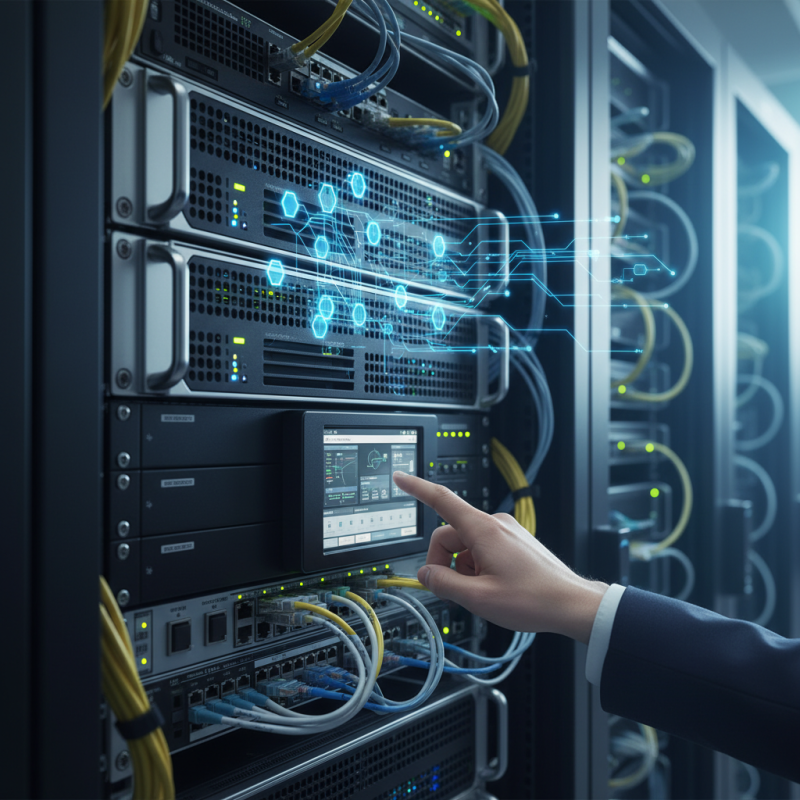
Understanding the architecture of a firewall is crucial for maximizing its security potential. A firewall typically comprises several components, each playing a unique role in the ecosystem. The control plane manages configuration, policies, and decision-making processes. The data plane handles traffic flow. These components must work cohesively to ensure optimal performance.
Configuration options can be complex and sometimes overwhelming. Misconfigured settings can lead to vulnerabilities. The importance of regularly reviewing rules cannot be overstated. Redundant or outdated rules may introduce risks. A thoughtful approach is needed here. Evaluating traffic patterns can help in refining these rules.
Let's not forget the user interface, which can muddy the waters. A clear hierarchy of policies is essential for maintaining effectiveness. Over time, it might become cluttered with rules that no longer apply. Regular audits and adjustments should help in keeping the system lean and effective. Monitoring tools can aid in this process, yet they often require fine-tuning to align with specific use cases.
Key Security Features of Juniper SRX Firewalls
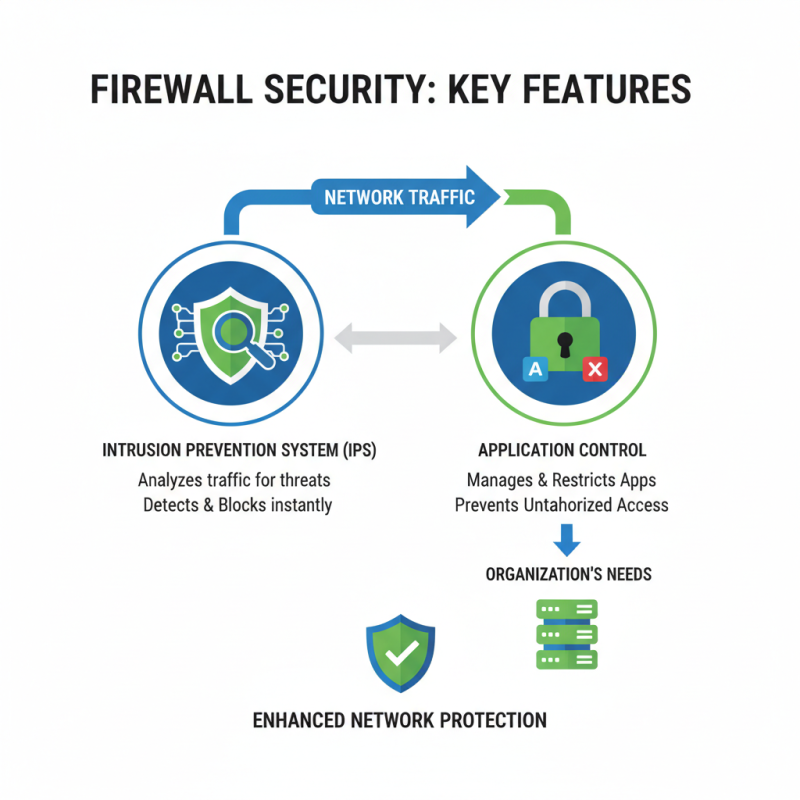
When it comes to firewall security, specific features stand out. These features enhance the overall protection of a network. Intrusion prevention systems (IPS) analyze incoming traffic for malicious activities. They detect potential threats in real-time and block them instantly. Another critical element is application control. It manages and restricts applications based on the organization’s needs. This prevents unauthorized access, which is vital for maintaining security.
Security policies play a crucial role as well. These define how data flows in and out. Policies should be regularly reviewed and adjusted as needed. Clarity in rules helps prevent confusion and mistakes. In addition, unified threat management (UTM) combines several security functions into one platform. This integration simplifies management and offers broader coverage against threats. Yet, many overlook the importance of regular updates. Keeping security features up to date is essential for optimal performance.
Finally, logging and reporting features provide insights into network activity. They help in identifying patterns or anomalies. However, the volume of data can overwhelm some teams. Proper analysis and response plans can mitigate this issue. It's important to find a balance between security measures and operational efficiency. Each organization has unique needs, requiring tailored configurations.
Step-by-Step Configuration for Initial Setup and Access Control
Configuring a firewall can be daunting. Start by accessing the device through a secure console. Use a standard terminal application for this task. Input the default login credentials. It’s common to forget to change these. Ensure your first step is to update these credentials.
Next, focus on creating an access control list (ACL). This will define what traffic is allowed and denied. It’s essential to follow best practices. Assign specific rules based on the organization’s needs. Take time to think about who needs access to what. Incomplete ACLs can lead to potential vulnerabilities.
After establishing your ACL, it's crucial to monitor the firewall logs. Many people overlook this task. Regularly checking logs helps identify unusual activities. Create a schedule for log reviews. Use this information to refine your existing rules. Adjusting configurations is part of the process. Don't hesitate to revisit your access policies as needs change.
Implementing Advanced Security Policies and Threat Prevention Mechanisms
Implementing advanced security policies on a firewall requires careful planning. Begin by defining your organization’s security needs. Are there specific threats you face? Then, draft policies that address these risks. Consider user roles and access levels. It's essential to restrict access based on necessity. This can prevent unauthorized use of sensitive data.
Next, establish threat prevention mechanisms to enhance your security posture. Use features like intrusion detection and prevention. These can identify and thwart potential attacks in real-time. Regularly update these systems. Testing and refining your configuration is crucial. Entropy in security setups can expose vulnerabilities. Frequent reviews of your policies help pinpoint areas for improvement.
Monitoring logs is not just about compliance. It’s about learning. Analyze what is working and what isn't. Sometimes, an overlooked alert can signal a bigger issue. Embrace a mindset of continual adjustment. Security is not a set-it-and-forget-it task. Engage with your teams to gather feedback and adapt your strategies accordingly. This collaborative approach can lead to better outcomes in the long run.
Firewall Security Policy Effectiveness
Monitoring and Maintaining Juniper SRX Firewall for Optimal Performance
Monitoring and maintaining a firewall is essential for optimal performance. Regular checks can prevent potential breaches. Surprisingly, 54% of businesses report cyber attacks due to poor management of network devices. This highlights the need for constant vigilance.
One key aspect is log analysis. Analyzing logs weekly helps identify unusual patterns. For instance, sudden spikes in traffic could signal a potential threat. Use tools that can automate this process. Automation increases response speed and decreases the chance of human error.
Tips: Schedule maintenance windows. Perform updates during off-peak hours. This minimizes disruption. Ensure that all software is current to protect against vulnerabilities. Regular backups are crucial. They safeguard data integrity in case of a failure.
Moreover, device configurations should be reviewed quarterly. Firmware updates can optimize performance, but they might also introduce new challenges. Always account for compatibility issues before applying updates. Document every change. This practice aids in troubleshooting later on.